View a Case
You’ll find Cases in the navigation under Cases.
List view
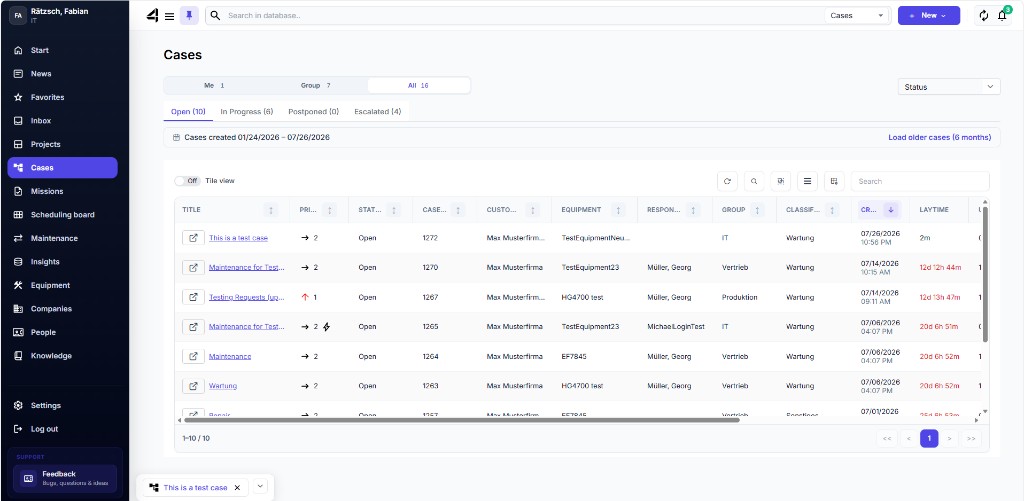
In the tabs you’ll see Cases by status, e.g. Open and In progress. On the right you can switch between tile and table view.
- Tiles work well as an overview / monitor.
- The table offers stronger filter and sort options.
Click a tile or a table row to open the Case dashboard.
ℹ️ Info: You can load older Cases in 6-month steps if they aren’t in the currently loaded period.
Search
Via the global search (magnifying glass at the top) you can also find Cases by Case number or title – including already closed Cases.