Delete a Case
You can delete Cases when they’re no longer needed.
- Open the Case dashboard.
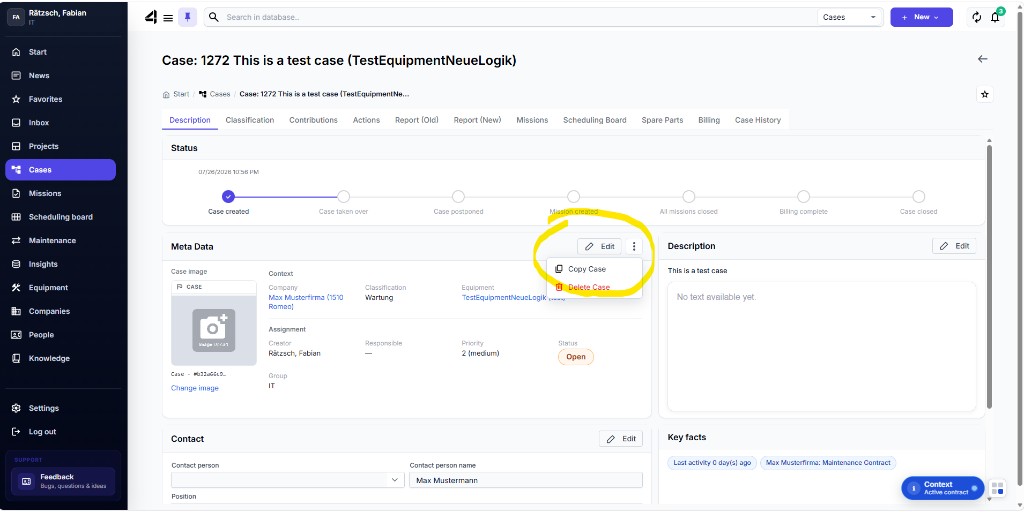
- In the Meta Data section, open the three-dot menu next to Edit.
- Choose Delete Case and confirm the prompt.
⚠️ Warning: The Case is deleted permanently – including everything linked to it (e.g. contributions, Missions, reports, actions). This cannot be undone.