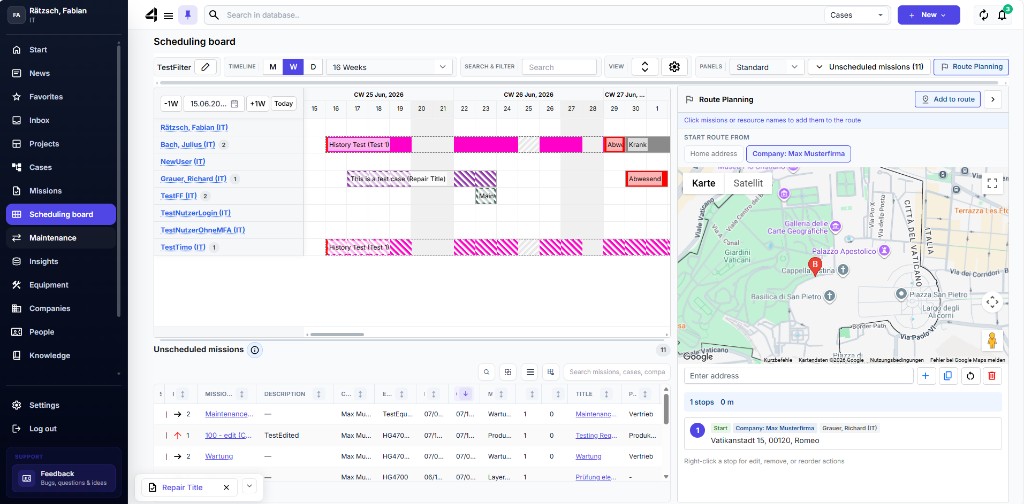
Route planning
Via the Route planner on the Scheduling board you can check geographic relationships of your Missions – helpful when several appointments on one day should be combined sensibly.
- Open the Scheduling board.
- Start the Route planner.
- Select the relevant Missions / Resources and check the suggested route.