Inbox
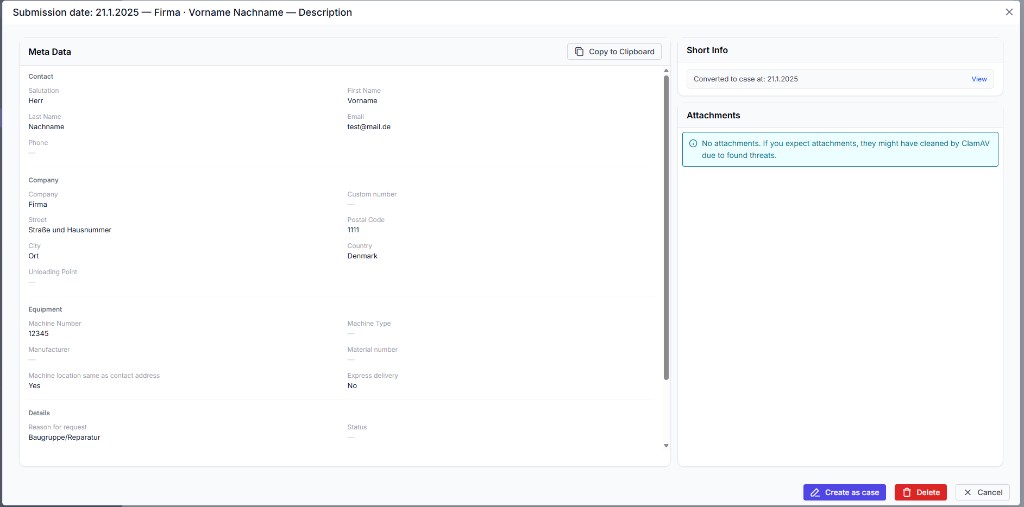
The Inbox (navigation: Inbox) collects requests from the external contact/service form. From there you can quickly create a Case.
Open the Inbox
Open Inbox in the navigation. There you’ll see incoming forms.
ℹ️ Info: Visibility and notifications depend on your configuration.
Convert a form into a Case
- Open the Inbox entry.
- Click Create as case.
- Check the prefilled data in the Case dialog and fill in what’s missing.
- Create the Case.
The Inbox entry is marked but not deleted automatically – you can create further Cases from it if needed.
External form
The form is tied to your domain ID and can be embedded e.g. like this:
<iframe
  style="height:100vh;width:100%"
  src="https://ticketcreationform.vercel.app?domainId=YOUR_DOMAIN_ID&lang=en"
></iframe>
ℹ️ Info: With
lang=enyou switch the form language. Without a domain ID an error message appears.